
When doing test/live upgrades one may need to copy files from one path to another. Often enough you may get a “Folder in use” error when renaming the MAS90 folder. “This action can’t be completed because the folder or a file in it is open in another program”
First make sure the client is not currently using Mas90 or has left a session open.
If that is not the case and you are still getting this issue follow the steps below to clear it up.
- Go to your Mas90 folder and navigate to this path:
\MAS90\Home\TinyMCE\js\tinymce\skins\lightgray\fonts
2. Install both “tinymce.ttf” & “tinymce-small.ttf”
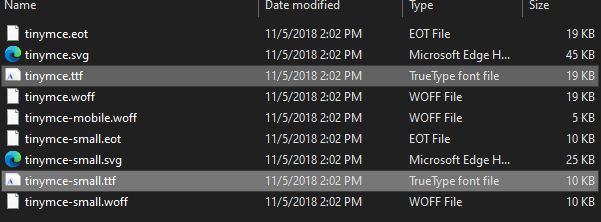
3. Afterwards, restart the machine.

 Tips & Fixes
Leave a comment