
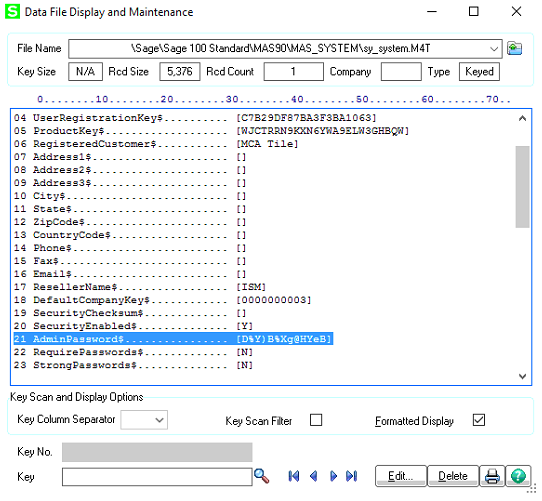
- Go to Data File Display and Maintenance in Sage.
- Open the Sy_System.M4T file.
- Click Edit
- Edit the 21st Entry to the password of your choosing.
Notes
The password is Encrypted so you should have your own encrypted password to replace it with. I cannot share what I use.

 Tips & Fixes
Leave a comment